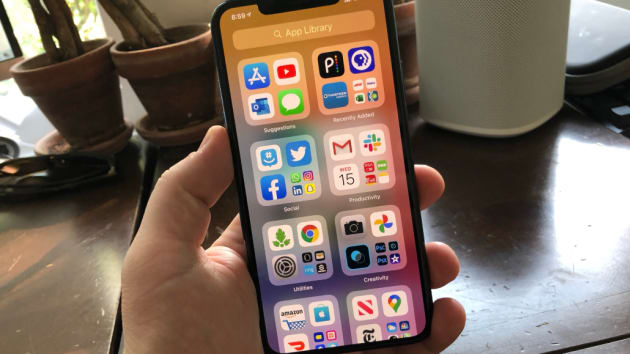


Read More















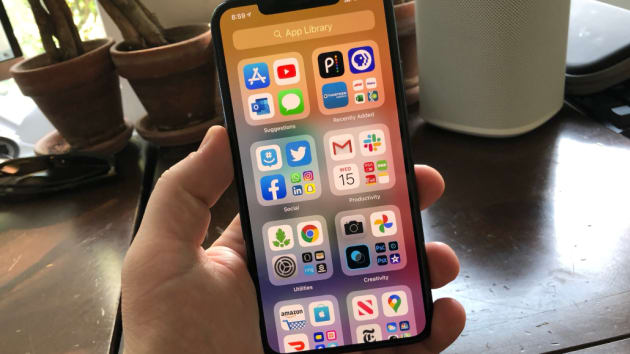
Apple's new iPhone software has a new feature that will finally help you organize your home screen. Right now, if you are like me, you might have dozens and dozens of apps in various folders across several pages. But, a new feature in iOS 14, which is available to try now and officially launches this fall, cleans everything up, writes CNBC's Todd Haselton.
The feature is called App Library, and it is awesome. It automatically organizes all of your apps into different categories, like social, productivity, creativity or utilities. You can always drag down from the top of the screen for a specific app if you don’t want to dig around the folders.
I have been using it for a few weeks, and it has totally changed how I use my iPhone. Now, instead of having apps all over my home screen, I just use App Library and search for the ones I need when I need them.
You can try it yourself if you test the iOS 14 public beta, otherwise it’ll hit your iPhone (the iPhone 6s and newer) this fall for free.
Here’s how App Library works.
How to set up App Library in the iOS 14 beta on your iPhone
First, you’ll want to make sure App Library is turned on. To do that:
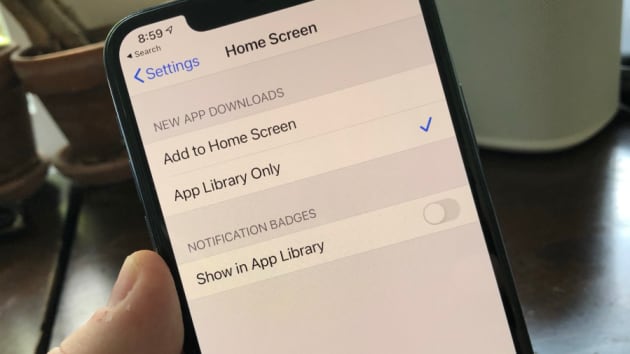
Open Settings.
Tap Home Screen.
Check “App Library Only.”
That will force new apps to only appear in the App Library instead of on your home screen. Next, you can clean up all your apps by turning off the various pages they appear on.
To do that:
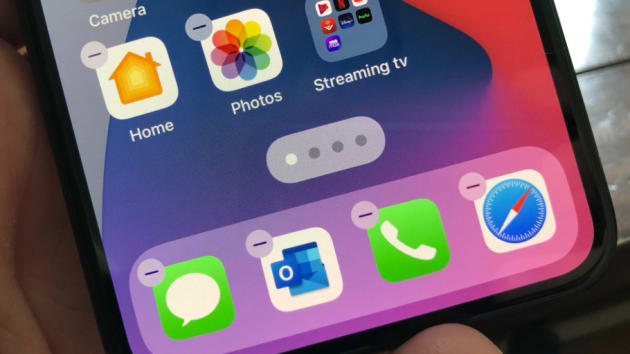
Tap and hold on the home screen.
Tap the gray bar at the bottom of the screen.
Uncheck the circles for all of your home screens with apps on them.
Now, the App Library will automatically store all of your apps to the right of your primary home screen. And, with widgets in the new iOS 14, you can place those on your home screen instead. They provide quick access to the weather, calendar, photos and more, and look a lot better than a dozen iOS icons. An example of my new home screen is above, with just a few apps appearing instead of the hundreds I used to have.